See what matters.
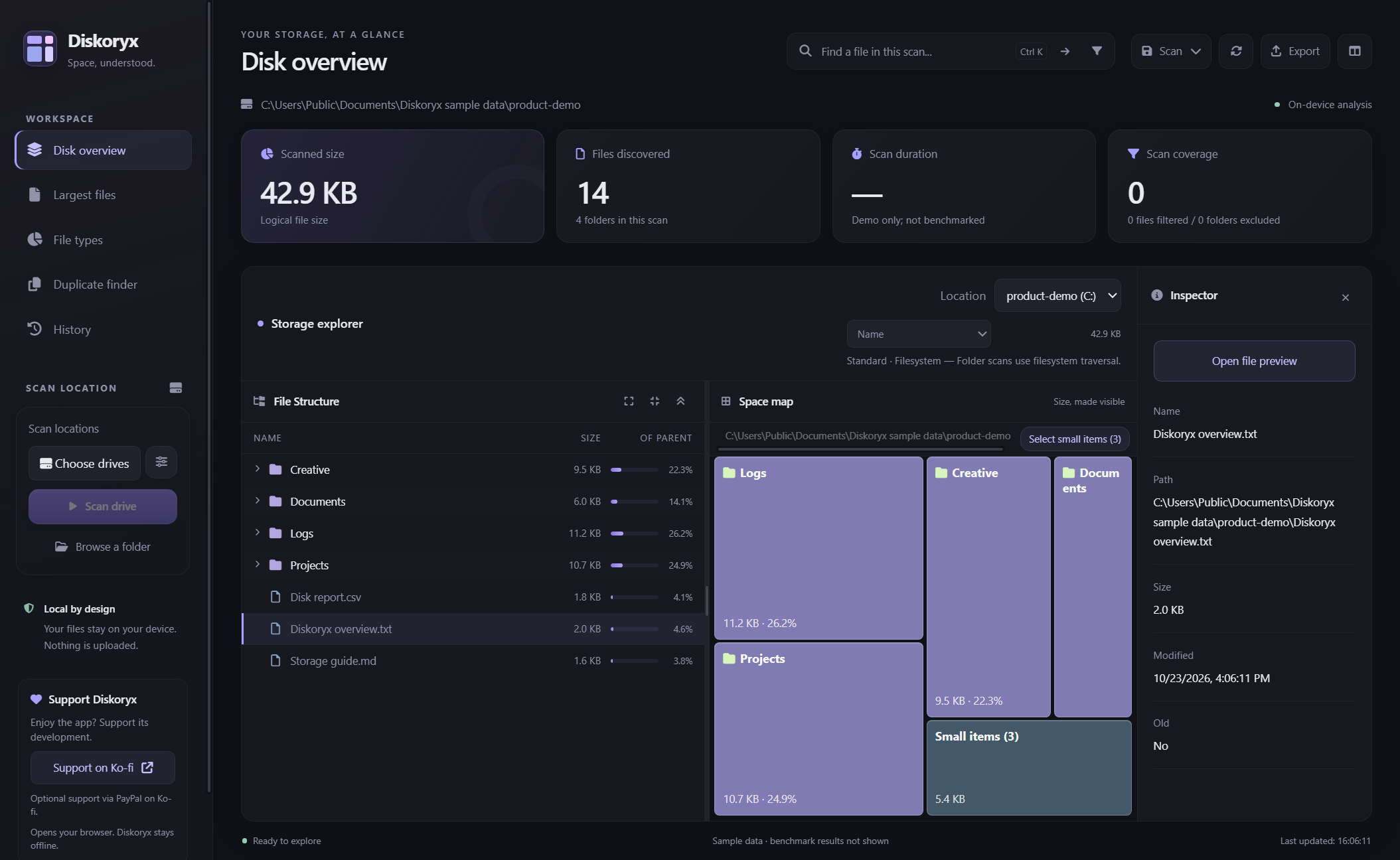
Explore a linked file tree and space map, find large files, or filter file types with the new category chart.
 Diskoryx.
Get Diskoryx
Diskoryx.
Get Diskoryx
Diskoryx is a free, open-source disk space analyzer for Windows. See the big picture, find the forgotten files, and understand what takes up space. All on your own machine.
Diskoryx makes storage visible. An interactive space map, clear file lists, and useful details put you in control. No mystery scores. No automatic deletion.
Explore a linked file tree and space map, find large files, or filter file types with the new category chart.
Verify matching contents with full-file SHA-256. Review personal-file copies, keep one, and recycle selected extras.
Bundled interface, fonts and scanner. No account, no CDN dependency, no automatic file uploads.
Click a block. Find a large file. Unfold a duplicate group.
This little workspace is yours to explore.
DiskoryxBROWSER DEMOSelect a block to inspect its files.
Select a folder or file to see more.
An interactive illustration, not the desktop app. All files are fictional; no disk is scanned or changed. The demo does not simulate v1.0.4 cleanup, History restore, or file-type category controls. Demo timings are not a benchmark.
A Rust-powered NTFS MFT scanner gets you from wondering to exploring. In our local comparison, v1.0.3 took 44.7% less scan and indexing time than v1.0.1.
The method, not just the numberMedian of 3 repeated scans per version. ~774,500 files on the same live Windows volume. Warm runs; excludes UAC waiting. Not a universal speed guarantee.
Dark or light. Big picture or fine detail.
A workspace that lets the files do the talking.
No automatic uploads. Disk analysis runs locally, and the desktop interface has no CDN dependencies. Saved scans and CSV exports can contain private paths: inspect them before sharing. This website demo uses fictional data.
Yes. Diskoryx is free and open source under the MIT license, without paid feature restrictions. You can support development on Ko-fi if you like.
No. You review and confirm file actions. Duplicate Finder lets you select personal-file copies for the Recycle Bin while keeping one verified copy; project, application and system locations are protected. Eligibility and the kept copy are checked again before each move. Restore moved files individually or by cleanup run from History. These checks are safeguards, not proof that a copy is unneeded: keep backups and test on disposable files first.
It launches without installation by extracting its runtime temporarily. Settings and history still use %APPDATA%\Diskoryx V1, not the executable's folder. It is not a leave-no-trace or USB-local profile.
Windows x64 only. v1.0.4 is an unsigned early testing release, so SmartScreen may warn. Launch normally; only the separate NTFS scanner may request UAC. Sizes are logical file sizes, not allocated size on disk. Some headers and controls have low contrast in light appearance; use dark appearance where needed. Older builds cannot read the newer grouped/compressed History format: keep your restore records when upgrading. The final Recycle Bin move remains path-based, so a file can still change between verification and the move. Clean-account install/uninstall acceptance is still pending. Read the release notes before use.
Your space. Your machine. Your call.
Early testing release · Release notes & checksums